Technology2026-09-10
Product Based Companies in Pune: How They Build, Scale, and Grow Digital Products
Read Article
Thousands of business owners invest heavily in digital marketing, search engine optimization (SEO), and pay-per-click ads, only to experience disappointing results. The traffic analytics show steady visits, but the phone isn't ringing, and the contact forms remain empty.
Rajesh Sivalapan
Technology & Business Consultants
Thousands of business owners invest heavily in digital marketing, search engine optimization (SEO), and pay-per-click ads, only to experience disappointing results. The traffic analytics show steady visits, but the phone isn't ringing, and the contact forms remain empty.
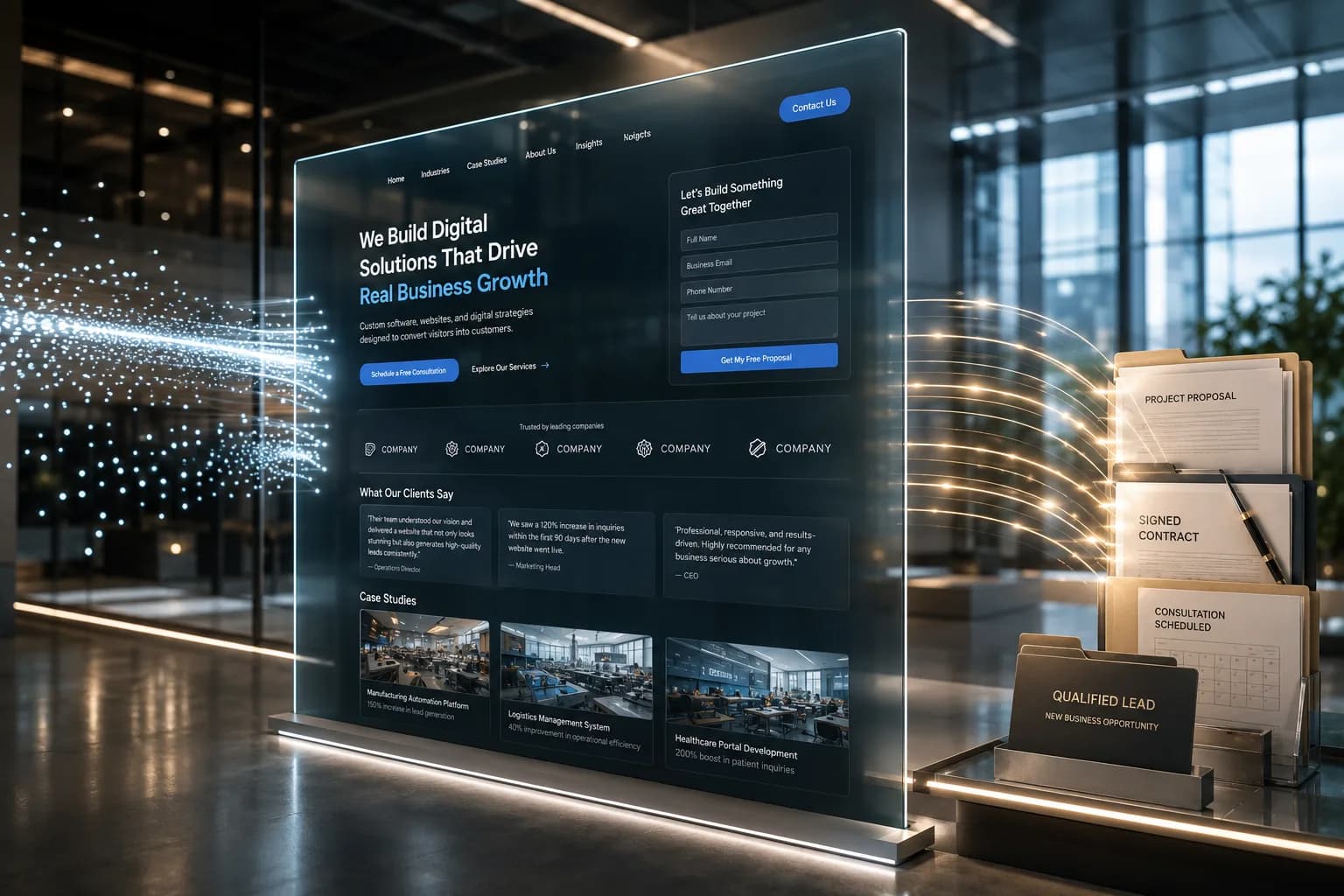
The fundamental problem is that most business websites are designed like digital brochures rather than lead generation systems. They focus on looking modern, showcasing office photos, or listing generic service descriptions, while neglecting the core psychological triggers that convert casual browsers into paying leads.
In 2026, user attention spans are shorter than ever, and buyers evaluate corporate websites in seconds. If your website isn't converting traffic into inquiries, here are the primary reasons why—and the exact steps to fix them.
| THE LEAD CONVERSION ROADBLOCKS | |
|---|---|
| COMMON WEBSITE MISTAKE | THE CONVERSION FIX |
| Unclear value proposition | Concise 5-second headline + clear value offer |
| Weak or hidden Call-to-Action | Prominent, action-oriented primary CTA |
| High-friction contact forms | 3-to-4 field frictionless lead forms |
| Lack of trust signals & proof | Client logos, testimonials, and case studies |
| Mismatched traffic intent | Targeting high-intent commercial keywords |
| Slow mobile loading speed | Fast Core Web Vitals & responsive layouts |
When a potential client lands on your homepage, they subconsciously ask three questions within five seconds: What do you do? Who is it for? How does it solve my problem?
If your hero section features vague corporate jargon like "We deliver innovative digital solutions for tomorrow's business," visitors leave.
The Fix: Replace generic slogans with a clear, direct headline and supporting subheadline. State clearly who you serve and the exact outcome you deliver (e.g., "We Help Logistics Companies Reduce Fleet Operating Costs by 25%").
A surprising number of websites guide visitors through pages of content without explicitly asking them to take action. Burying a single "Contact Us" link in the navigation menu forces users to search for a way to work with you.
The Fix: Place one primary Call-to-Action button above the fold (visible without scrolling) and repeat it strategically at the end of key content sections. Use high-intent, action-oriented button text such as "Request a Custom Quote" or "Schedule Your 15-Minute Strategy Call" instead of passive labels like "Submit" or "Learn More".
Asking prospective leads to fill out 10 to 12 form fields—including company size, physical address, and detailed budget ranges—before they have even spoken to you creates massive drop-off. Every extra field you add reduces your overall conversion rate.
The Fix: Simplify initial lead capture forms down to 3 or 4 essential fields: Name, Business Email, Phone Number, and a brief project note. Save detailed discovery questions for the follow-up phone call or automated scheduling workflow.
Online buyers are inherently skeptical. If your website makes bold claims about quality, speed, or expertise without offering concrete proof, visitors will hesitate to reach out.
Verified client reviews and detailed video testimonials.
Client company logos and industry accreditation badges.
Concise case studies highlighting quantifiable client results.
Driving high volumes of website traffic means nothing if those visitors have no intent to purchase. Ranking for broad, educational keywords (e.g., "what is software development") brings casual readers, not buyers ready to hire an agency.
The Fix: Align your search and ad campaigns with high-intent, transactional keywords (e.g., "enterprise custom software development services"). Target prospective clients who are actively looking to solve an immediate problem.
Over 60% of modern business website visits occur on mobile devices. If your website takes more than 2 to 3 seconds to render on a smartphone, prospective clients click away to a competitor before reading a single line of copy.
The Fix: Partnering with an experienced mobile app development company in Pune or web engineering team ensures fast Core Web Vitals, responsive layouts, and sub-2-second load times across all mobile browsers.
Transforming an underperforming website doesn't necessarily require an expensive, multi-month redesign. In most cases, partnering with an experienced software development company in Pune to make targeted adjustments to your primary messaging, reducing form friction, placing clear call-to-action buttons, and displaying social proof produces an immediate increase in monthly lead inquiries.
When every page on your website guides visitors toward a logical next step, your site stops being an online brochure and becomes your most reliable corporate sales tool.
Average B2B and service business conversion rates typically range between 2% and 5%. If your website receives 1,000 targeted visitors per month, you should ideally generate 20 to 50 qualified lead inquiries.
Not usually. Most lead generation issues stem from messaging, form length, CTAs, and page speed. Refining these core elements on your existing layout often fixes the issue without a full redesign.
A webpage should focus on one primary action (e.g., "Book a Consultation"). While that primary CTA button can appear multiple times as the user scrolls down the page, avoid presenting multiple competing offers that create decision fatigue.
Rajesh Sivalapan is a Technology & Business Consultants at Maxima Business Solutions. Our team specializes in custom software development, cloud infrastructure setup, SEO strategy, and helping growing enterprises achieve operational excellence.
Partner with Maxima Business Solutions to build scalable architectures, modern web apps, and automated workflows.
Schedule Your Free Consultation