

Technology2026-09-10
Product Based Companies in Pune: How They Build, Scale, and Grow Digital Products
Read Article
Every growing company in Pune—from bustling trade hubs like Swargate and Camp to IT and manufacturing centers in Hadapsar, Hinjewadi, and Chinchwad—relies on Microsoft Excel at the start. It is flexible, accessible, inexpensive, and capable of handling everything from initial financial budgets to basic inventory lists.
Rajesh Sivalapan
Technology & Business Consultants
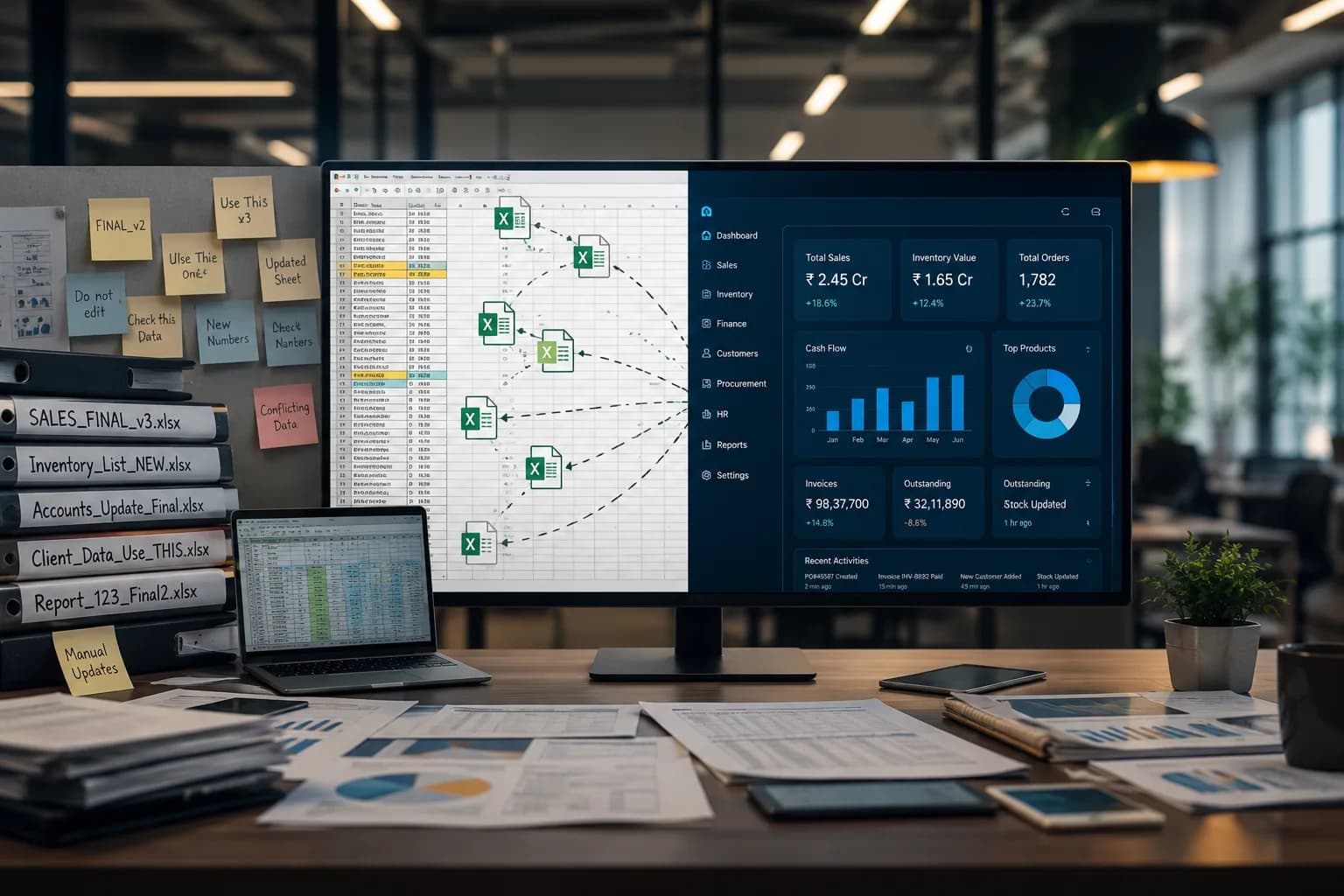
Every growing company in Pune—from bustling trade hubs like Swargate and Camp to IT and manufacturing centers in Hadapsar, Hinjewadi, and Chinchwad—relies on Microsoft Excel at the start. It is flexible, accessible, inexpensive, and capable of handling everything from initial financial budgets to basic inventory lists.
However, as your business expands, relying on spreadsheets to run daily operations creates a hidden ceiling on your growth. What begins as a quick administrative solution often turns into a messy grid of broken formulas, conflicting file versions, and manual workarounds.
Industry research shows that up to 88% of complex spreadsheets contain human errors. When your operational processes, sales tracking, or inventory management start stretching Excel beyond its limits, continuing to rely on spreadsheets stops being frugal—it becomes a financial and security risk for your enterprise.
If your team in Pune spends more time managing spreadsheets than serving clients, here are 12 clear warning signs that your business has outgrown Excel and requires a custom software solution.
| EXCEL VS. CUSTOM SOFTWARE COMPARISON | |
|---|---|
| EXCEL SPREADSHEETS | CUSTOM SOFTWARE SOLUTION |
| Manual data re-entry across files | Automated real-time database sync |
| Fragmented "Final_v3.xlsx" versions | Centralized single source of truth |
| Basic password lock protection | Role-based user access controls & logs |
| Static snapshots of historical data | Dynamic real-time analytics & reporting |
When multiple team members edit the same spreadsheet, managing file versions quickly becomes a nightmare. Files with names like Client_Tracker_Final_v2_edit.xlsx get emailed back and forth across departments, resulting in duplicate entries, overwritten data, and constant confusion over which spreadsheet holds the actual ground truth.
If your team spends hours every week copying data from emails, WhatsApp messages, or PDFs into spreadsheets, you are paying skilled employees to perform manual data entry. Custom software automates data collection, syncing information directly into your central system without human intervention.
Excel formulas are extremely fragile. An accidental row deletion, a cut-and-paste error, or a minor typo can break cell references across an entire workbook without triggering an immediate warning. Finding and fixing broken formulas wastes hours of technical troubleshooting.
As your data volume grows into thousands of rows, Excel struggles to process complex calculations. Frequent freezing, slow file load times, and sudden crashes are clear indicators that your business has exceeded spreadsheet data capacity.
Excel does not offer granular permission controls. If you send an employee or contractor a spreadsheet, they typically gain access to all the data within that file—including sensitive financial details, client contact lists, or profit margins. Custom software allows you to assign specific roles, ensuring users see only the data necessary for their job.
When a critical number changes in a spreadsheet, identifying who altered it, when it was changed, or what the original value was is almost impossible. Custom business applications log every transaction, system change, and record edit, providing full accountability and enterprise-grade compliance.
When operations depend on Excel files, those files inevitably end up saved on local desktop folders, personal laptops, or unsecured cloud drives. If a device is stolen, corrupted, or compromised, your proprietary business data goes with it.
Generating a weekly or monthly performance report should not require days of manual data aggregation. Because spreadsheets represent static snapshots in time, leadership decisions are often made using outdated data. Custom applications provide real-time dashboards with live business metrics.
Excel functions as an isolated data island. If your inventory spreadsheet cannot communicate with your accounting system, CRM, or billing software, your team is forced to act as the human bridge connecting disconnected systems. Custom software bridges these gaps through native API integrations.
If your entire operational workflow relies on a single employee who built complex macros or intricate Visual Basic (VBA) scripts, your business faces significant key-person risk. If that person leaves, your operations can grind to a halt. Custom software bakes your business logic directly into the application code.
When prospective clients call to check an order status, quote update, or booking availability, standing by while an employee opens and searches through multiple spreadsheets looks unprofessional. Custom software gives your client-facing teams instant access to search records in seconds.
When you start altering your business workflows simply because "Excel cannot perform that calculation," you have reached a critical limit. Software should adapt to support your business model—your business model should never be constrained by software limitations.
Transitioning from Excel sheets to custom software does not mean throwing away your historical data. A well-planned software development roadmap migrates your existing spreadsheet data cleanly into a secure, scalable database.
By replacing manual spreadsheets with dedicated custom web app development in Pune or scalable databases, Pune businesses can eliminate human error, protect sensitive client data, and build an operational foundation capable of scaling seamlessly as revenue grows.
While custom software requires an upfront investment, it eliminates the recurring costs of manual data errors, lost productivity, and inefficient operational bottlenecks. Modern <a href="/">software business solutions in Pune</a> and tailored web application frameworks have made custom development much more accessible for growing local enterprises.
A basic operational tool or custom database solution can typically be developed, tested, and deployed within 6 to 12 weeks, depending on system complexity and the volume of historical data being migrated.
No. Unlike generic spreadsheets filled with complex formulas, custom software is designed specifically around your team’s exact daily workflow, making user onboarding intuitive and fast.
Rajesh Sivalapan is a Technology & Business Consultants at Maxima Business Solutions. Our team specializes in custom software development, cloud infrastructure setup, SEO strategy, and helping growing enterprises achieve operational excellence.
Partner with Maxima Business Solutions to build scalable architectures, modern web apps, and automated workflows.
Schedule Your Free Consultation